In the last issue of The AI Optimist, I talked about a growing sense of confusion and chaos around AI.
As audiences become more aware of AI-generated content and more social media sites are labeling (even basic graphics) as AI-generated, people are starting to get frustrated.
They are growing tired of seeing AI content and starting to express their annoyance.
I call this “AI ick.”
It’s the yucky feeling audiences get when they see content that is generic, derivative, and soulless.
AI ick is growing, and nowhere is it more apparent than in AI-generated flyers.
All over social media, we’re seeing the same, similarly-styled AI flyer graphics pop up, and it’s created two very polarized opinions.
- Audiences are over it. People have even started calling out businesses and shaming them for creating AI flyers.
- Business owners are stuck. They thought they were using a time-saving marketing tool. Now, they are facing harsh criticism and backlash.
I’ve seen at least one social media argument about AI-generated flyers between a local business owner and a customer turn quite ugly.
Like most things with AI, I think both sides have valid points and that the solution lies somewhere in the middle.
We need to accept what makes AI flyers so off-putting and then, take steps to bring creativity, discernment, and quality back to the design process.
The Problem with AI Flyers
The core problem with most AI flyers is that they are created with the bare minimum effort.
If you go to ChatGPT (where most of these graphics are created), and type in a basic prompt to generate a flyer, you’ll get something that looks like all of the other flyers on social media.
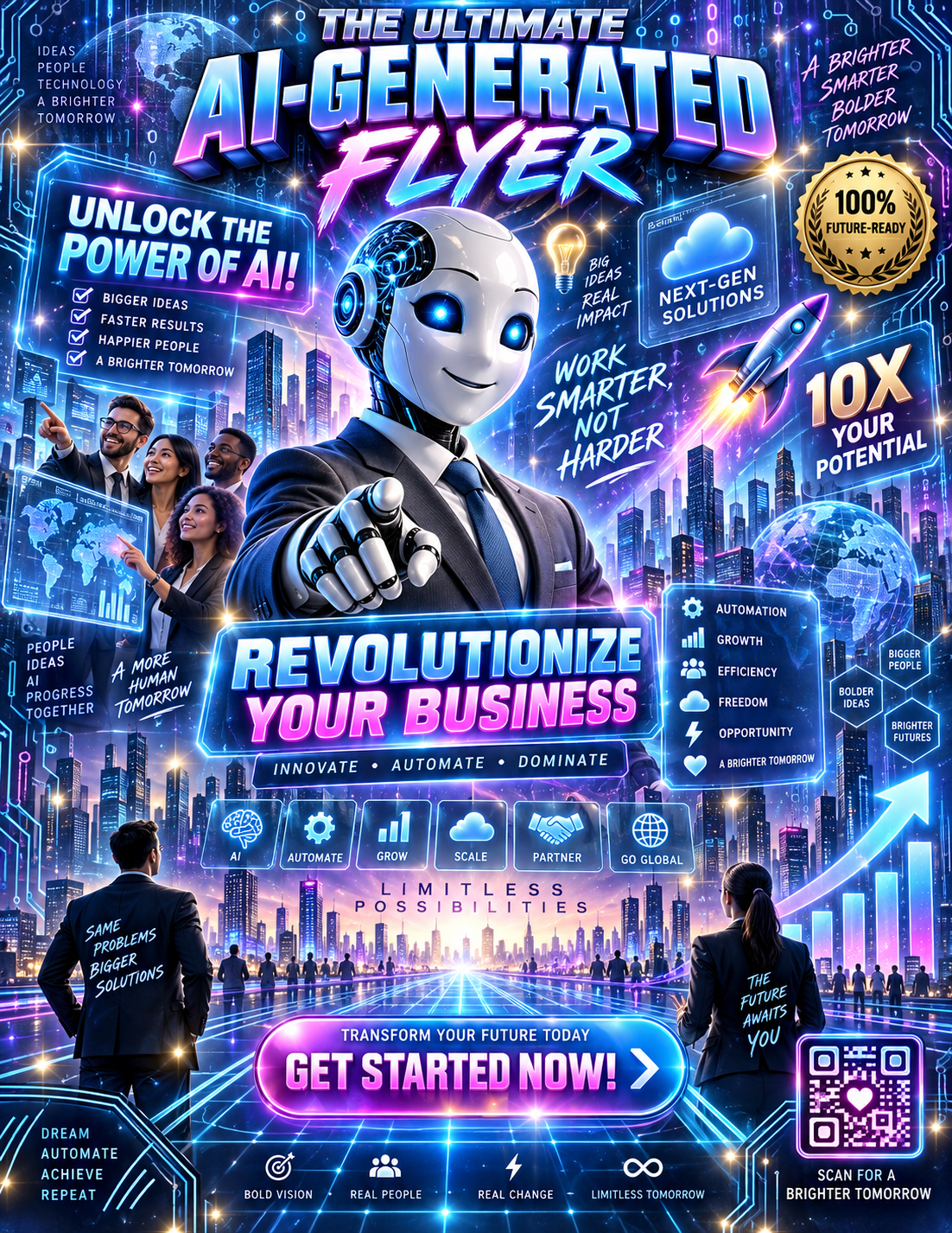
Do you recognize this layout?
The format. The fonts. The style.
You’ve seen it repeated all over the internet.
And, it’s not even a great design to begin with.
AI flyers are often too busy, share too much information, and use fonts that are difficult to read.
Resource-strapped business owners aren’t wrong to want to use AI to save time and money while promoting their business.
But the approach of typing in a basic prompt and then posting generic output is a problem.
There is a better way to quickly generate content to promote your business while using AI tools.
A Better Approach to AI Flyers
To improve AI flyers, remember a basic AI fact.
The better your prompt, the better your output.
Taking more time and effort to create a graphic will result in a better final product.
Here is a flyer I generated for my business with a basic prompt.
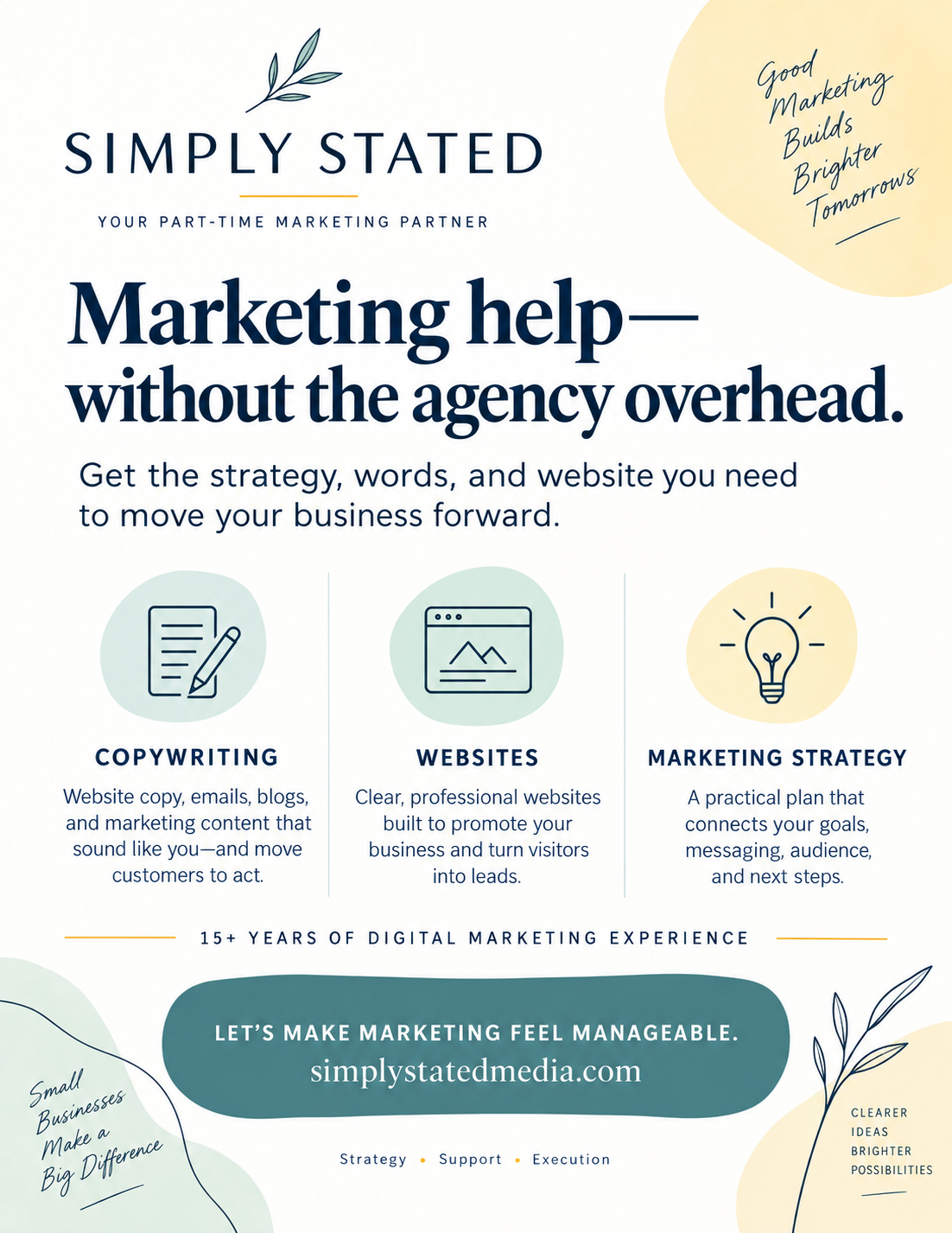
Not great.
It is poorly designed, difficult to read, and looks like every other AI flyer on the internet.
So, I spent extra time building a better prompt.
Here are the steps I took. You can follow them too.
- Start with a brand guide. Use an AI configuration or upload your brand guide to define your colors, fonts, and iconography.
- Share a template for inspiration. Canva offers hundreds of graphic templates. Pull a template you like and add it to your prompt as inspiration.
- Tell AI where the flyer will be used. A 8.5 x 11 inch flyer you hand out at your business shouldn’t look the same as a 1000 x 1000 pixel flyer you share on social media. Request a specific size and explain where the flyer will be used.
- Provide the most important messaging. Using your human discernment and marketing strategy, tell AI what information is most relevant and should be included in the flyer.
- Tell AI not to use handwritten fonts. For some reason, ChatGPT loves to place handwritten call-outs in graphics. Be direct about not including this element.
I followed these steps to create a new flyer, and you can see the difference.
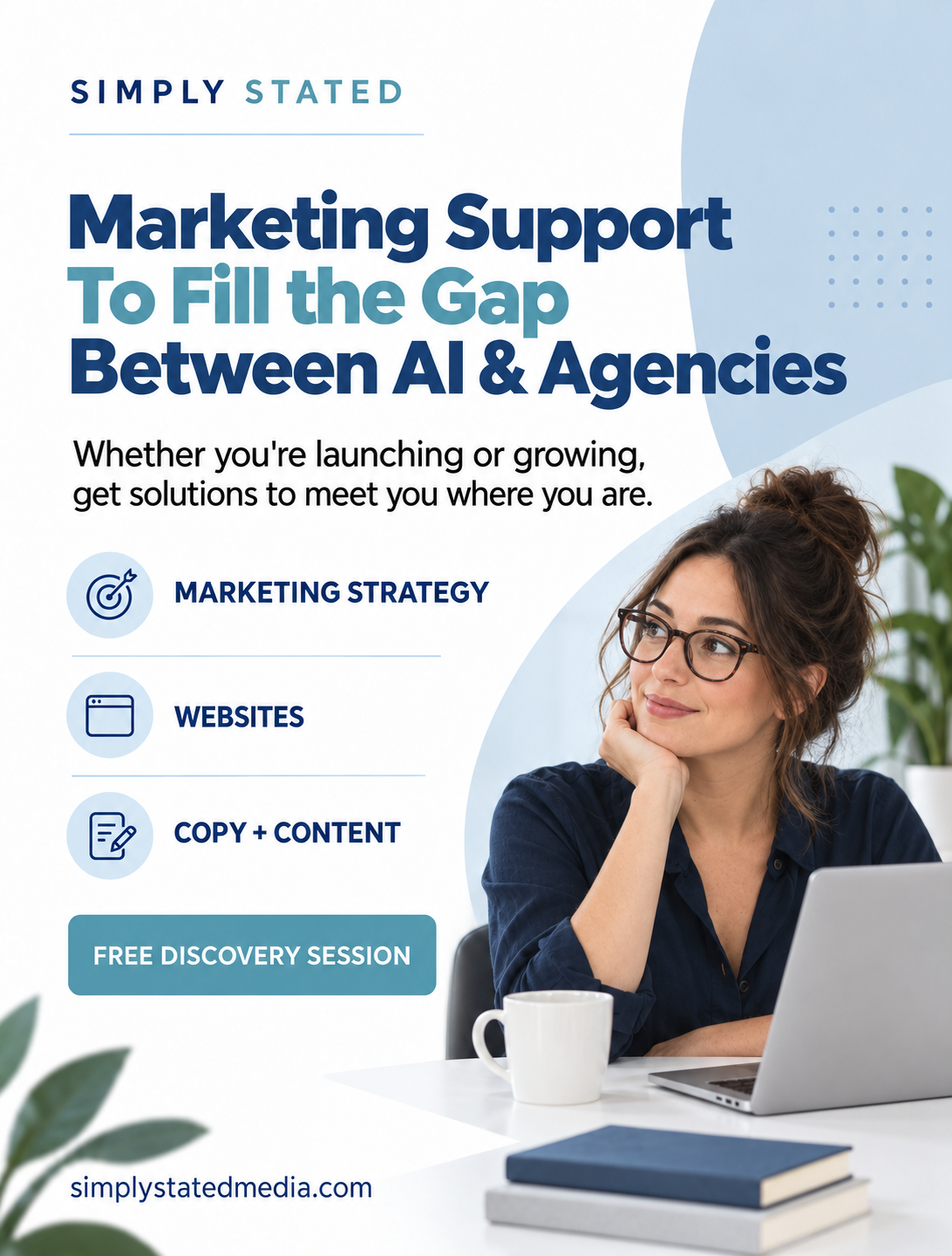
It’s better.
The new version doesn’t look like other AI flyers. It has a more unique design, matches my brand, and is less busy and crowded.
It’s worth noting that it took me about five prompts to get here. I didn’t use the first output and provided additional direction along the way.
The graphic is still not perfect. There are things I want to change, but I’m a content creator. It’s my job to create graphics.
If creating content isn’t your primary job, but you are still tasked with creating flyers to promote your business (or charity event, art show, school fundraiser, or other resource-limited initiative), AI can help you.
The output might not be perfect, but it’s better than generic AI slop, and it’s always better than having nothing at all to promote your initiative.
Just Remember, It’s Still AI
Following these steps will produce better graphics, but it won’t necessarily prevent your content from getting tagged as AI-generated.
If you want to fully avoid the scarlet letter of AI, you need to alter and customize images using other graphic design tools.
I recommend using Canva. You can use AI for inspiration and then go to Canva to create custom graphics.
The added benefit of creating templates in Canva is that you can easily update and adjust them while maintaining your design. AI isn’t always great at taking an image and making small adjustments (as it often alters other elements in the process).
And as always, you will get the best, most professional content when you hire an expert.
But if that option isn’t available to you, I hope these steps can help you avoid triggering AI ick and instead, create graphics that are a better representation of your brand and messaging.
Are you creating AI graphics? Let me know how following these steps improved your process.
Missed an issue of The AI Optimist? You can find all past issues here.


